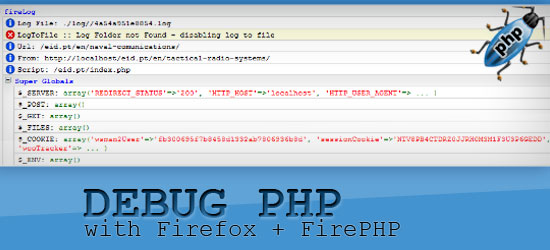
Debuging php through fire fox using FirePHP
2:34 AM

(0) Comments


i was searching for a php console i can attach it with firefox to instantly debug , but a break points and so on so i can develop faster and find bugs and errors faster
i found awesome addon to firefox called firephp , its attached to famous firefox addon firebug
simply you need :
firefox , firebug , firephp
and just include the firephp class into your code

require_once('FirePHPCore/FirePHP.class.PHP');
$firephp = FirePHP::getInstance(true);


[tips] the fastest and best ways to send mails in php

1:33 AM

(0) Comments

hey all
i read a great article wrote by Manuel Lemos , he talked about sending e mails in php and what is the best ways to do that and  how to deliver the message fast and correct
the article is really awesome so  i decided to share it with you guys


the fastest ways to send mails  in php

eslam

,

[css tips] targetting chrome only browser - css chrome hacks

6:15 AM

(0) Comments

hi all some times you face problems in css adjustment and many differents between browsers
you can use SSI to target only IE browser but if you want to target Chrome you will have a serious issue here because there is no street way to do that

you can use some css hacks like:

1-:


body:nth-of-type(1) div.divname{width:500px;}

2-

@media screen and (-webkit-min-device-pixel-ratio:0) {
  div.divname{width:500px;} 
} 

and also you can target it via javascript

<script type="text/javascript">
var is_chrome = navigator.userAgent.toLowerCase().indexOf('chrome') > -1;
if(is_chrome){
document.write('<link rel="stylesheet" href="css/chrome.css" type="text/css" />');
}
</script>

thanks all see you in next tip

eslam

, ,

[tip] optimize your website acceleration via gzip and htaccess

8:38 AM

(0) Comments

if  you dont care about ie4 users so use gzip compression now its a technique to compress all media html , js , css , images and the browser can decompress it before viewing that enhance the acceleration of your website
you can do it via htaccess

just add these few lines

# compress text, html, javascript, css, xml:
AddOutputFilterByType DEFLATE text/plain
AddOutputFilterByType DEFLATE text/html
AddOutputFilterByType DEFLATE text/xml
AddOutputFilterByType DEFLATE text/css
AddOutputFilterByType DEFLATE application/xml
AddOutputFilterByType DEFLATE application/xhtml+xml
AddOutputFilterByType DEFLATE application/rss+xml
AddOutputFilterByType DEFLATE application/javascript
AddOutputFilterByType DEFLATE application/x-javascript

# Or, compress certain file types by extension:
<Files *.html>
SetOutputFilter DEFLATE
</Files>

eslam

sorry for absence

8:32 AM

(0) Comments


hi all
sorry for not being post all previous days and thanks a lot for all message i received , as most of you know i live in Egypt and we now on a serious activity in Egypt towards liberty and democracy  so hope us luck and peace

eslam

HTML5 LOGO

7:08 AM

(0) Comments

i found today the officially html5 logo
actually i hated it its not so good as html5 technique , that is the official link from w3c

eslam

, ,

[tip] solve "You do not have sufficient permissions to access this page." in wordpress

3:29 AM

(0) Comments

hi all
i tried to change my wordpress table prefix to add more secure to my blog and i done alter sql command to alter the table prefix and then i changed the table prefix in  wp-config.php

but i surprised that i couldnt log to my wp-admin panel it shows me an error
You do not have sufficient permissions to access this page.

after digging a while i discover that the issue is the wordpress store the user meta data and roles with the old prefix and so i have to replace the old prefix with the new one i found couple of tips to do such things thx dealasite

you have to fire two sql statement to do fix that

UPDATE `prefix_usermeta` SET `meta_key` = REPLACE( `meta_key` , 'wp_', 'prefix_' );

UPDATE `prefix_options` SET `option_name` = 'prefix_user_roles' WHERE `option_name` ='wp_user_roles' AND `blog_id` =0;

just replace the prefix_ with your new wordpress prefix
and all should be working now
thx all see you in next tip

eslam

,